If you are deciding
Your programs are modelled the way you already describe them to your funder, not the way a vendor’s template does.
If you use it daily
You set the stages and statuses your team uses. Rename one later and it changes everywhere, immediately.
If you are doing diligence
Configuration is stored as data in editable tables per tenant. There are no per-agency code branches or releases.
Provisioning
When your agency is set up, StreamBuild creates a database that belongs to your agency alone, and an administrator account for the person who will configure it. If you want that database to live in your own cloud account, that is decided here. See Security & residency. From this point on, every record your staff create lives in that database.
Programs and streams
A program is what you report to a funder on. Inside a program, the work is divided into streams: a funding stream, an advisory stream, a validation stream, an events stream. Each stream carries its own statuses, its own document types and its own stage vocabulary, because a grant application and an advisory engagement do not move through the same steps.
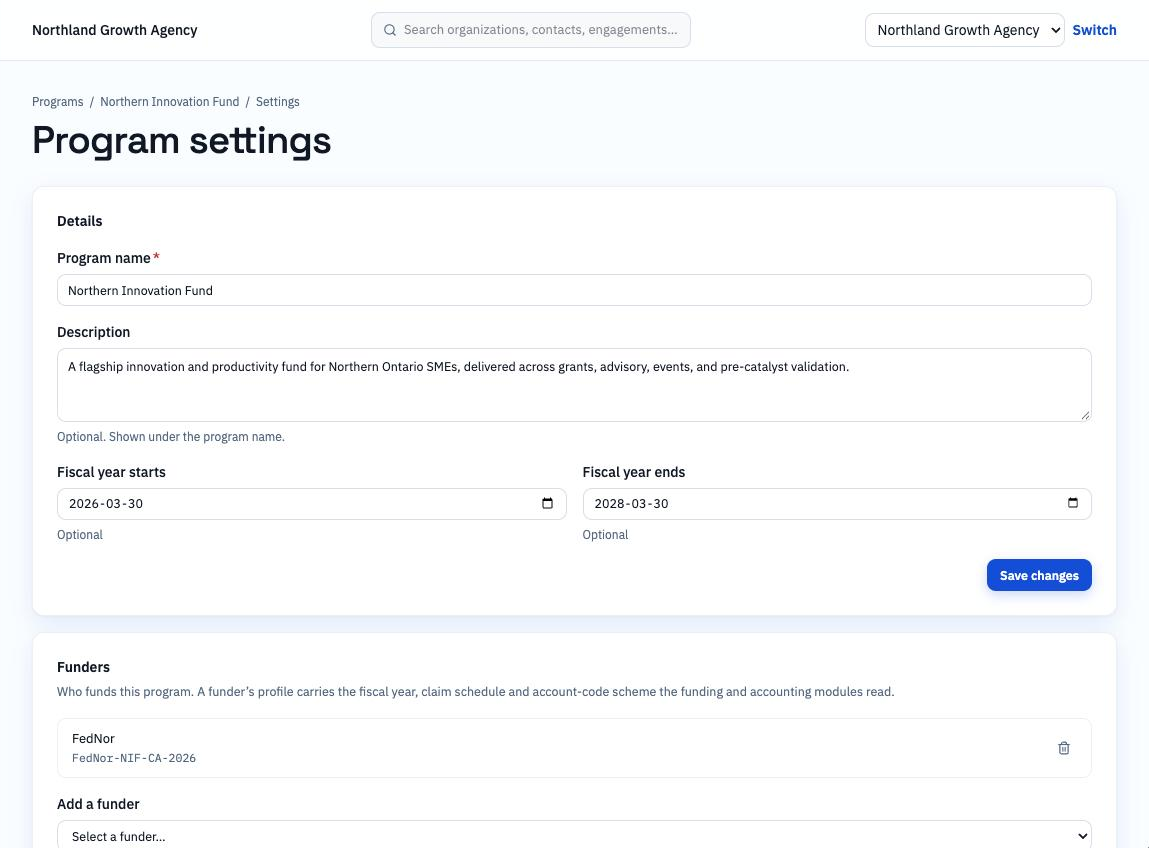
Statuses, stages, taxonomies, document types and pricing are all rows in tables you can edit. Rename “Due diligence” to “Eligibility review” and every engagement in that stage shows the new name the next time anyone opens it. Nobody ships a release to do it.
Bringing in what you already have
Most agencies arrive with a spreadsheet or an existing CRM. Organizations and contacts are imported first, so that correspondence and meetings can find the records they belong to from the first day. Engagements can be imported against those organizations, or created fresh as new intake arrives.
Inviting people
Staff are invited by email and sign in with their existing work account. Each person is given a role per program, so an advisor can work their own stream without seeing another program’s files. External participants, such as applicants and reviewers, are handled separately from staff and do not count as seats.
The first afternoon, in order
- 1
Create the program
Name it the way your funder does. Attach the agreement period.
- 2
Add streams
One per kind of work. Each stream starts from a template carrying the statuses and stages for that kind of work.
- 3
Import organizations and contacts
So mail and meetings can bond to records immediately.
- 4
Invite your team
Assign a role per program.
- 5
Open the first engagement
Everything after this is daily work.
What this does not do
- Import is for organizations, contacts and engagements. Historic correspondence from before you connected a mailbox is not back-filled.
- StreamBuild does not migrate files out of another system automatically. Files are attached to records as you need them.
- Prices are not listed in this guide. See pricing for the current plans.